Does a gaming mouse actually improve your aim, or is it just a more expensive way to click the same buttons. I asked myself the same thing before I bothered upgrading, and the honest answer sits somewhere between the marketing and the skeptics.
📋 Table of Contents
TL;DR: Some of it is real. Sensor accuracy, polling rate, and weight genuinely affect how consistently your aim translates on screen. Extreme max DPI numbers and most of the flashy marketing specs do not. Most of your aim still comes from practice, not hardware.
Quick wins if you are in a hurry
- Set your DPI between 400 and 800 and adjust in-game sensitivity from there, not the other way around.
- Turn off mouse acceleration in Windows and in-game if it is on by default.
- Clean your mouse feet and check your mousepad surface before blaming the sensor for inconsistent tracking.
- If you are on a budget, prioritize a good sensor over a high max DPI number on the box.
Got 10 more minutes? Keep reading for the full breakdown.

Grab Your 6★ Weapon Before It's Gone!
- Free-to-play strategy
- Optimized for Windows PC

Start With 10,000+ Oroberyls , Hit Play!
- Arknights: Endfield — Free on PC. 10,000
- Oroberyls up for grabs.

Your Squad's Waiting. Jump In Free!
- New Homecoming Expansion: 2 Maps, 2 Operators, 1 Free 6★ Weapon: $0.
- Action RPG - Base Building on PC-Play Free, Keep Your Progress on Mobile.
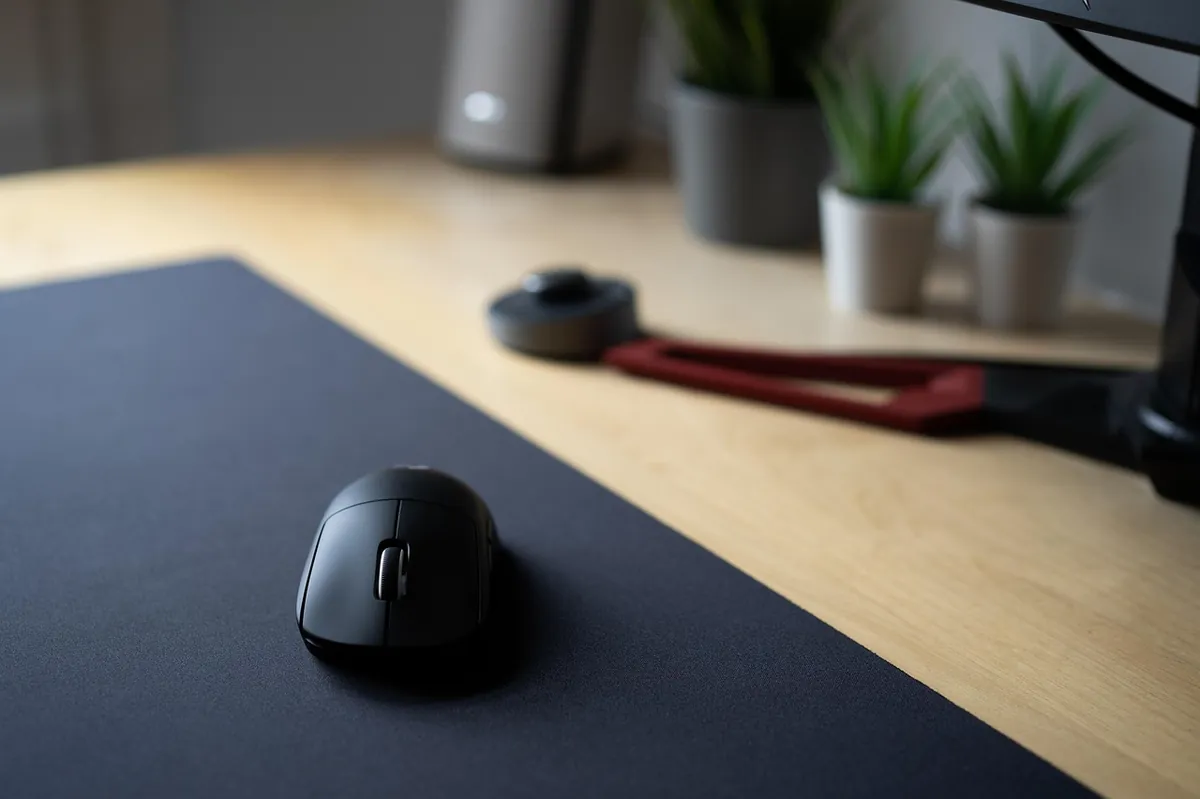
This assumes you have already spent some time practicing your aim in an aim trainer or in-game range. Hardware is the smaller half of this equation.
Does a gaming mouse improve your aim: what actually affects it
Sensor accuracy
This matters more than DPI. A quality optical sensor tracks your hand movement with minimal jitter and minimal angle snapping, so your crosshair lands where your hand actually moved instead of somewhere close. Once I switched to a mouse with a genuinely accurate sensor, fast flicks stopped feeling like a coin flip. Independent lab testing, like RTINGS’ sensor specification benchmarks, backs this up: sensor accuracy and consistency separate a good mouse from a noisy one far more than headline DPI ever does.
Polling rate
Polling rate determines how often the mouse reports its position to your PC. A 1000Hz mouse reports every millisecond, which is plenty for the vast majority of players. Higher polling rates up to 8000Hz exist on premium mice now, and they can shave fractions of a millisecond off click latency, but the difference is far smaller than the jump from a budget sensor to a good one.
Weight and shape
A mouse that fits your grip and hand size lets you make small, controlled adjustments without fighting the shape. Lighter mice in the 50 to 70 gram range have become popular with competitive players for exactly this reason, less mass to redirect during quick flicks.
What matters less than the marketing suggests
Max DPI numbers in the tens of thousands are mostly a spec sheet contest. Almost nobody plays above 1600 DPI, and most competitive FPS players sit at 400 to 800 DPI with a low in-game sensitivity to land an effective sensitivity, often called eDPI, somewhere around 300 to 400. A sensor that tracks cleanly at 800 DPI beats a noisy sensor that goes to 32,000.
| Spec | What it does | How much it actually matters for aim |
|---|---|---|
| Sensor accuracy (jitter, angle snapping) | Determines if your crosshair lands where your hand moved | High |
| Polling rate | How often position is reported to your PC | Low to moderate past 1000Hz |
| Max DPI on the box | Marketing spec, scales sensitivity range | Low |
| Weight (50 to 70g range) | Affects control during fast flicks | Moderate |
| Wired vs wireless | Connection latency | Low today with modern low-latency wireless |
Wired vs wireless: is there really input lag now
This used to be a real concern. It mostly is not anymore. Modern wireless gaming mice using dedicated low-latency protocols report sub-millisecond latency, on par with wired connections in independent testing. If you bought a wireless mouse in the last couple of years from a brand that takes gaming seriously, latency is not the thing holding your aim back.
How much of “better aim” is really just practice
I want to be straight about this part. The biggest aim gains I have made came from time in an aim trainer and in-game practice, not from a hardware swap. A better mouse removes small inconsistencies and lets your practice translate more reliably to the screen. It does not replace the practice itself.
Common issues and fixes
Issue: Cursor feels like it randomly skips or jumps during fast movements.
Fix: Check for mouse acceleration settings in Windows and in your game, and confirm your polling rate matches what your mouse software recommends.
Issue: Aim feels inconsistent between sessions despite no settings changes.
Fix: Check your mousepad surface for wear or debris. A worn pad affects sensor tracking more than people expect.
Issue: High DPI mouse still feels imprecise at low in-game sensitivity.
Fix: Lower your DPI setting itself rather than only the in-game sensitivity. Most sensors track more cleanly at moderate DPI values.
Frequently asked questions
Does a higher DPI mouse improve my aim?
No, not on its own. Sensor accuracy and consistency matter far more than a high max DPI number.
What DPI should I use for FPS games?
Most competitive players run 400 to 800 DPI and tune sensitivity through the in-game slider from there.
Is wireless too slow for competitive gaming now?
Modern wireless gaming mice using dedicated low-latency protocols report sub-millisecond latency, on par with wired.
Quick checklist before you buy
- Prioritize sensor accuracy over the max DPI number on the box
- Stick to 400 to 800 DPI and adjust in-game sensitivity for your target eDPI
- Turn off mouse acceleration everywhere it can hide
- Pick a weight and shape that matches your grip, not whatever looks best in photos
This is one piece of a complete competitive setup. Our complete gaming gear guide ties the mouse, keyboard, and headset side of performance together.
DPI is only half of the settings picture. Our guide to polling rate and DPI breaks down exactly how the two specs interact and where to actually set them for FPS games.
Written by Kade | FPSFlow.com
Focus: PC performance optimization and FPS troubleshooting
Last updated: June 2026
Method: Based on hands-on testing across multiple mice and sensors, and published sensor accuracy data